+1 347 TRUECNF (878-3263)
Video Conferencing Software » Features » Slide Show
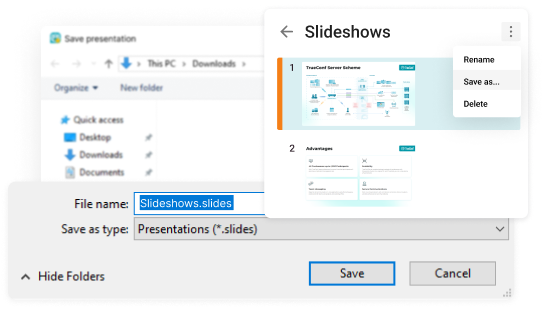
The slide show allows you to demonstrate PowerPoint® presentations, images, photos, diagrams, etc, to all of your parties during video conferencing of any type.
This function is used when one needs to show something to other participants quickly and without losing time for explanations on the location of the file, the page number, etc. To enable presentations feature the slide show initiator should preinstall Microsoft PowerPoint program.
In order to start the slide show during a video conference click on the
icon.
Thus you will open the slide show window where you can create or open the already existing set of slides.
When the set is ready and the slides are arranged as you want them to be just click on "Start" to begin broadcast of your slides to every participant of a current conference.

| Slide show | ||
|---|---|---|
| TrueConf Server 3.3 with a valid license | ![]() | |
| TrueConf Online | Free Plan | ![]() |
| Lite Plan | ![]() | |
| Pro Plan | ![]() | |
| Corporate Plan | ![]() | |
| Event Plan | ![]() | |
TrueConf1400 Avenue Z Suite 409,
Brooklyn, NY,
11235
http://trueconf.com
Phone:
+1 347 TRUECNF (878-3263)
e-mail: info@trueconf.com
© 2010-2013 TrueConf LLC. All rights reserved.
Sitemap
Legal Information