Team Messenger
A secure team messenger for instant communication, sharing images and files, and organizing remote work.

A secure team messenger for instant communication, sharing images and files, and organizing remote work.
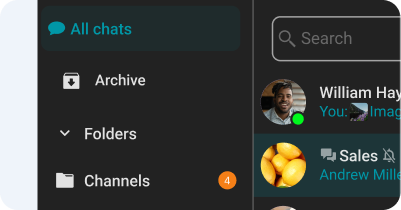
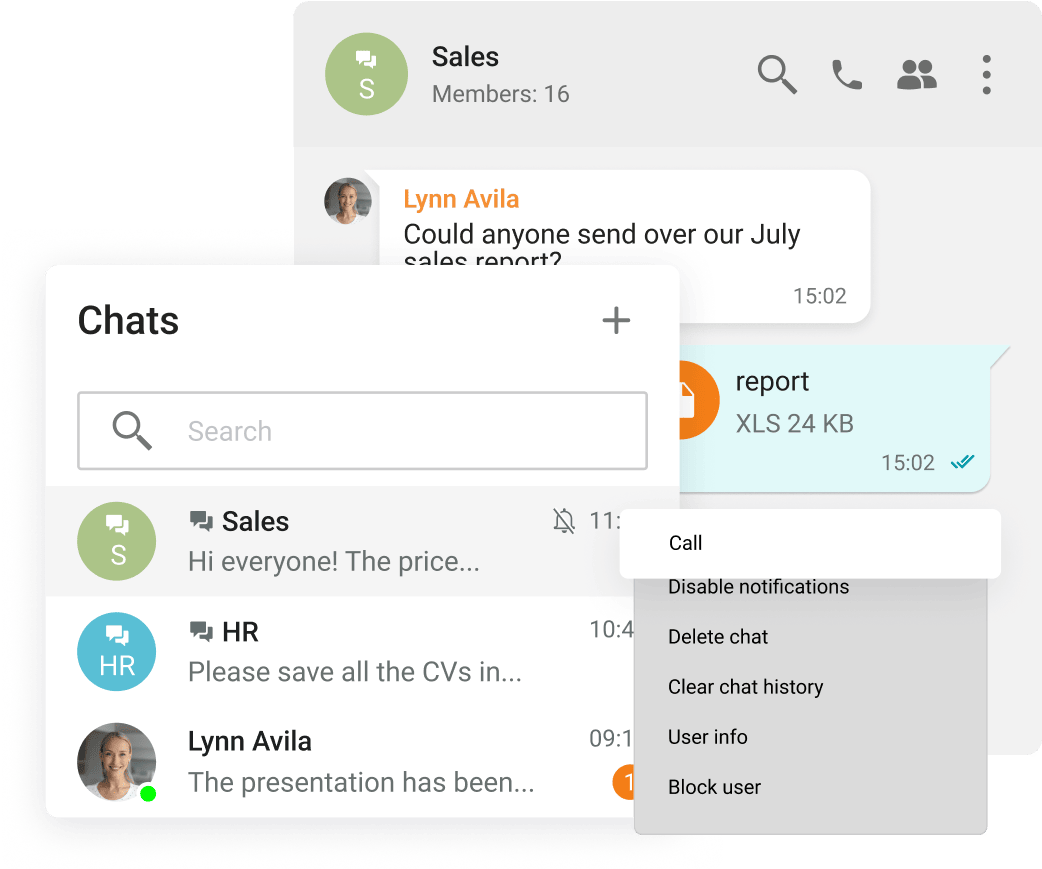
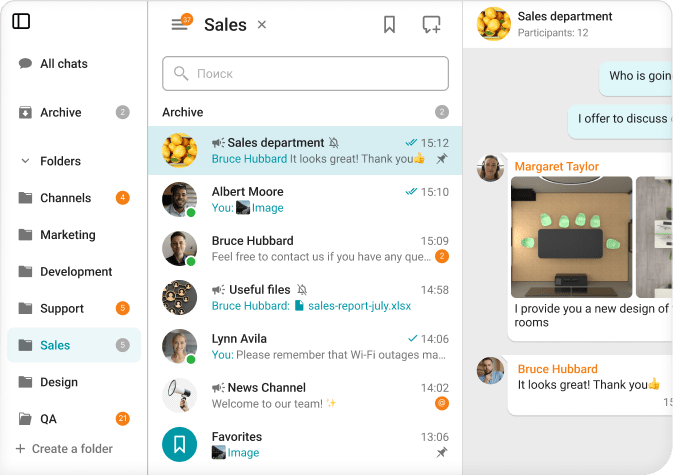
Group and personal chats
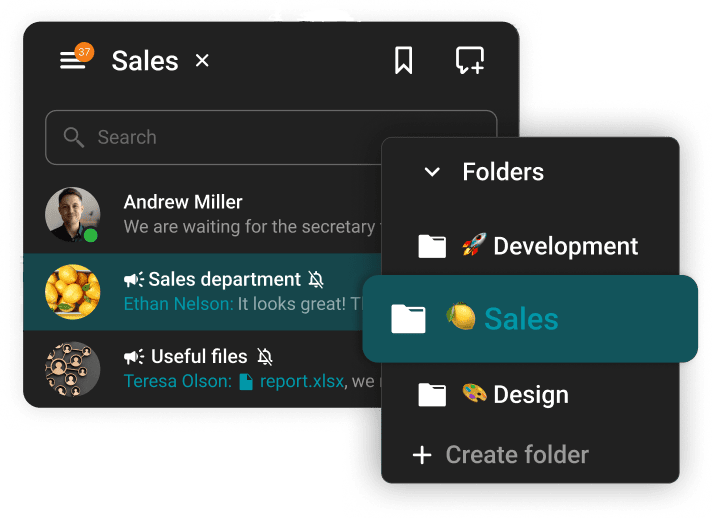
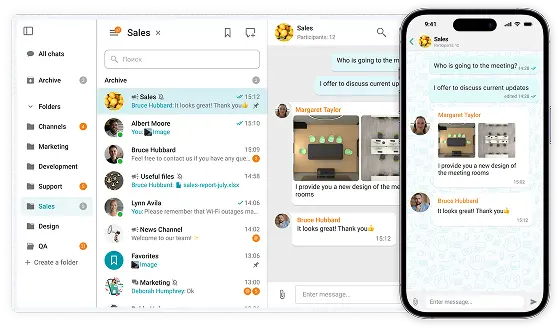
Chat folders
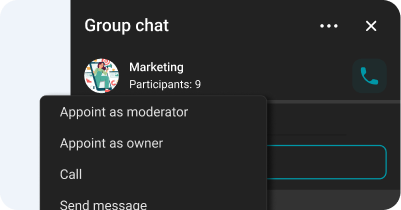
Chat moderator management and ownership rights transfer
Spell-checking
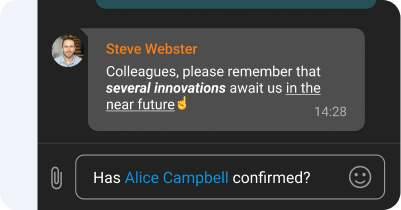
Text formatting and Hyperlinks
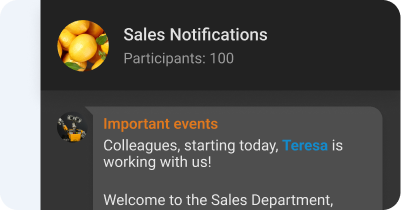
Channels
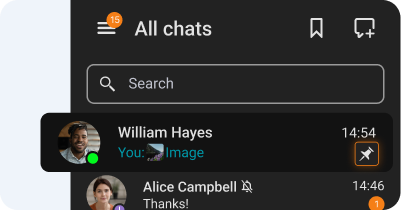
Chat pinning
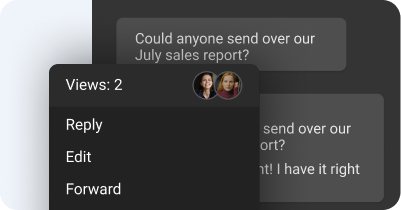
Message reading status
On-premises Installation
Capable of offline operation within a private network without an Internet connection required.
You Own Your Data
Your data never leaves your network.
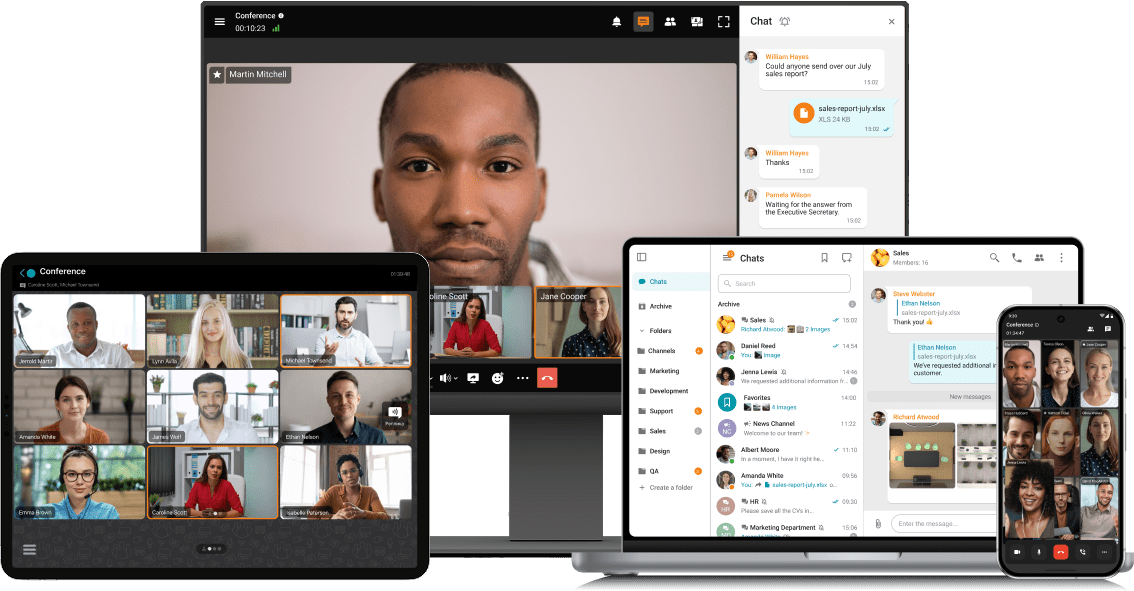
Exchange messages during conferences and beyond! Respond to colleagues' requests in personal and group chats, swiftly transitioning discussions into online meetings.
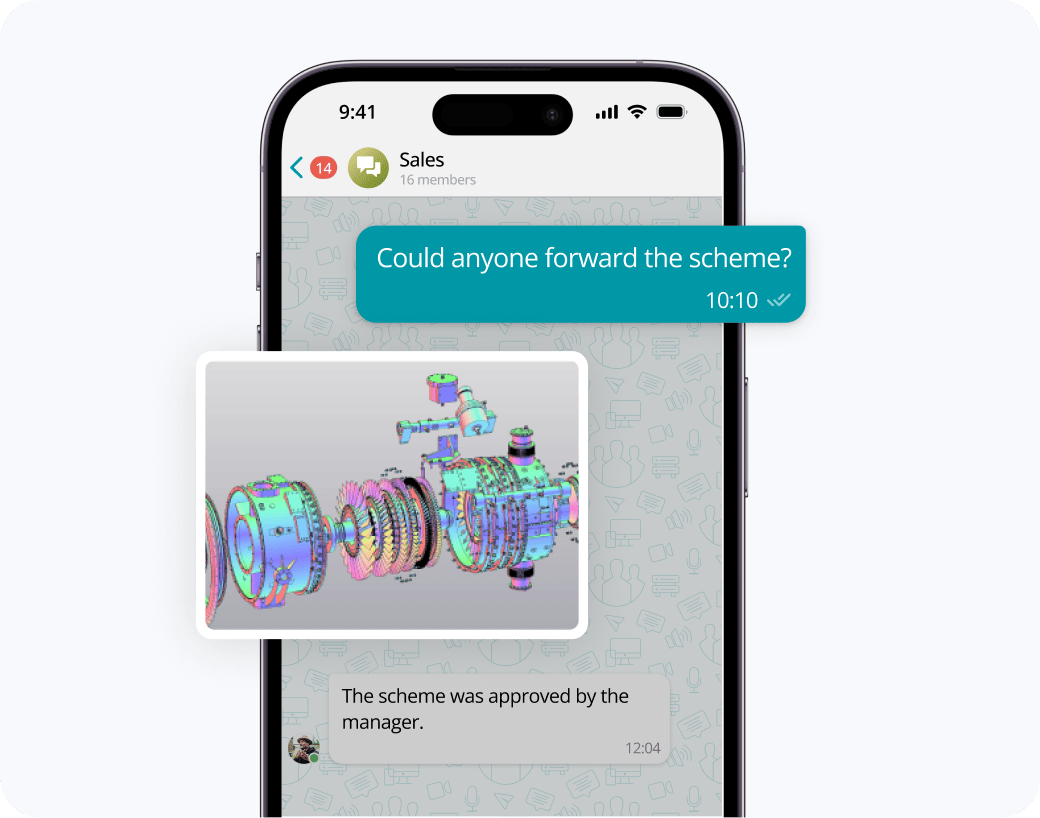
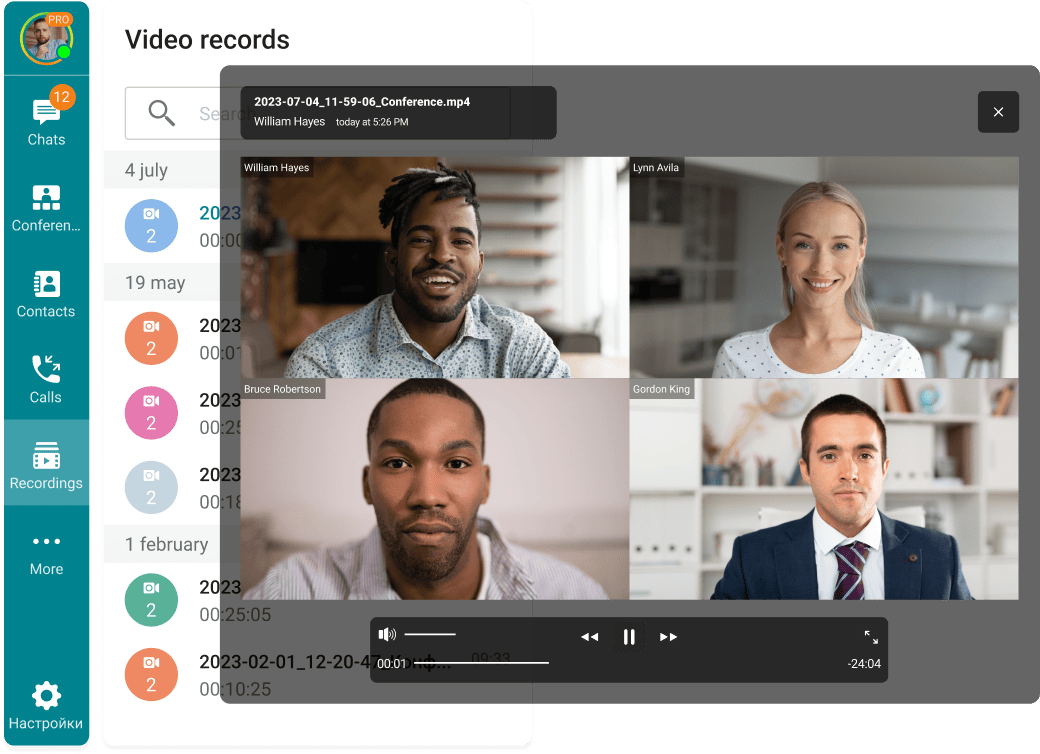
Share files of any size and look through them right in TrueConf client applications.
View the resulting images and video files, as well as PDF documents, in TrueConf desktop client applications.
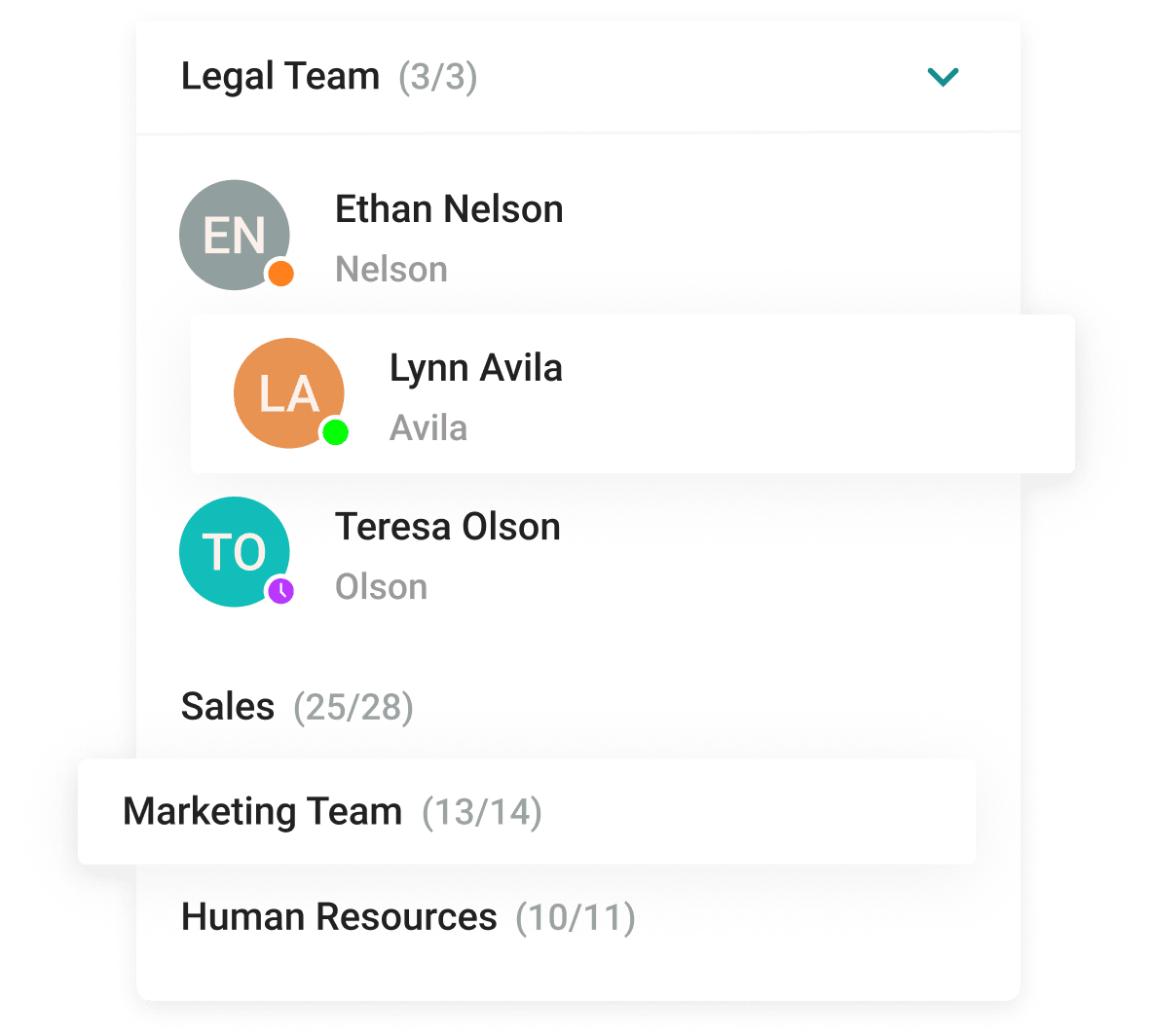
With the help of a convenient address book and department navigation, you can contact any employee of the company and see which colleagues are available for communication.
Arrange communication easily and conveniently, group chats into folders and add colorful emojis.









The group chat participants can easily find all the necessary documents as they are collected in the "File" tab.
Enhance the capabilities of the address book by integrating Active Directory or any LDAP directory with TrueConf Server.
Single Sign-On (SSO) technology, along with support for NTLM and Kerberos protocols, allows users of TrueConf client applications to securely log in without entering a username and password.
Download the corporate messenger for video conferencing and secure communication, for your operating system.
Organize video conferences and discuss tasks in chats wherever you are — all corporate communications in one mobile application. Download TrueConf mobile app!
Switch devices seamlessly – your messages are always handy in desktop and mobile apps.
Instant messaging (IM) is a technology used to transmit messages in real-time over the Internet or another computer network. IM enables two or more users to participate in the same conversation via their computers or mobile devices.
Yes, TrueConf allows you to communicate both in personal and group chats, share files, documents, photos and slideshows, as well as quickly escalate any chat to a video conference with up to 1,000 people. You can also edit, reply and forward messages, or tag any chat participants. Your call and message history are instantly synchronized on multiple devices with your account.
Only authorized users can log in to the platform, and only its administrator has access to all the data stored on it, which makes it a preferable option for security-conscious companies.
Yes, TrueConf offers native client apps for desktops (Windows, macOS, Linux), mobiles (iOS, Android, Android TV), and browsers.
TrueConf allows customers to choose a convenient way to deploy video conferencing solutions. TrueConf Server supports cloud, hybrid, and on-premises deployment within a closed corporate network.
An instant messaging app for business is a communication tool designed to facilitate real-time messaging between employees, teams, and departments within an organization. Unlike consumer messaging apps, business IM platforms prioritize security, user management, data compliance, and integration with other workplace tools like calendars, file sharing, and video conferencing. These apps help streamline internal communication, reduce email overload, and enhance collaboration—especially for remote or hybrid teams. Many also support group chats, file attachments, message history, and administrative controls. By offering a centralized and secure space for daily conversations, instant messaging apps for business play a critical role in boosting productivity and maintaining organizational efficiency.
Key Features of Business Instant Messaging Apps:
Real-Time Messaging – Enables instant communication for quick decision-making and collaboration.
Group Chats and Channels – Organize conversations by department, project, or topic to keep communication focused.
File Sharing and Storage – Send documents, images, and media directly in chat threads with secure storage options.
User Roles and Admin Controls – Manage permissions, moderate conversations, and ensure compliance with company policies.
Integration with Business Tools – Seamlessly connect with calendars, task managers, CRMs, and video conferencing platforms.
End-to-End Encryption – Protects sensitive information and ensures secure communication across the organization.
Cross-Platform Support – Access chats from desktop, mobile, or web for continuous communication across devices.
Presence Indicators – Show user status (online, busy, away) to improve availability awareness and response time.
Message History and Search – Keep track of past conversations and find important information quickly.
Custom Branding and Hosting Options – Adapt the platform to match company identity and deploy on-premise for full control.
IM can either be standalone applications (like WhatsApp) or embedded in different types of platforms. IM can be built into:
Social media. For example, on Instagram you can exchange messages with other users. Incoming messages or tags & mentions appear in the application notification bar.
Video conferencing. Such programs often have built-in chats where users share their ideas, files, images, or run polls.
Game streaming. Most streaming platforms, such as Twitch, offer a chat window where streamers can interact with other users while streaming video or gameplay.
While consumer messaging apps (like WhatsApp, Telegram, or Facebook Messenger) and business messaging apps (such as TrueConf, Microsoft Teams, or Slack) both support instant communication, they are designed with very different use cases in mind.
1. Purpose and Use Case
Consumer: Built for personal communication, social interaction, and casual group chats.
Business: Designed specifically for professional environments to support teamwork, productivity, and structured communication within organizations.
2. Security and Compliance
Consumer: Often lacks enterprise-grade security standards; data may be stored on external servers with limited control.
Business: Designed specifically for professional environments to support teamwork, productivity, and structured communication within organizations.
3. Administration and User Management
Consumer: No admin-level control over user access, content, or security settings.
Business: Centralized administration with full control over user roles, access permissions, and organizational policies.
4. Integration with Work Tools
Consumer: Minimal or no integration with business apps (e.g., calendars, file systems, CRM).
Business: Deep integration with productivity suites (Microsoft 365, Google Workspace), task managers, file sharing, and video conferencing tools.
5. Hosting and Customization
Consumer: Hosted on public cloud with limited or no customization.
Business: Often offers self-hosting or private cloud deployment, custom branding, and API access for tailored workflows.
6. Collaboration Features
Consumer: Basic features like messaging, file sending, and voice/video calls.
Business: Advanced features such as threaded conversations, persistent channels, file repositories, task assignment, and meeting scheduling.
The key IM advantages:
Real-time talk. Unlike email or texting, the exchange of information in an IM is really instant. In addition, you can see if your message has been sent, read, or if the user is typing a reply.
One click from chat to conference. With IM you can easily turn any group chat into a video conference and continue the discussion in a more productive way. You don't need to schedule the meeting in advance and send out reminders.
Keeps a record. IM keeps all what was shared in chats. You can additionally mark an important message and easily refer back to it later.
TrueConf
TrueConf is a self-hosted communication platform designed for businesses and institutions that prioritize data security, compliance, and reliability. It combines instant messaging, team collaboration, and high-quality video conferencing into a single unified solution. Trusted by enterprises, government agencies, and healthcare providers, TrueConf provides full control over communications infrastructure through on-premises deployment, making it a strong choice for organizations with strict security and privacy requirements.
TrueConf supports personal and group chats with features like message replies, editing, forwarding, and mentions. Its video conferencing capabilities include 4K video quality, up to 2,000 participants per meeting, screen sharing, remote desktop control, and meeting recording. The platform works across Windows, macOS, Linux, Android, iOS, and web browsers, offering consistent performance regardless of device. With integration options for LDAP/Active Directory, SIP/H.323, and external systems, TrueConf fits seamlessly into existing enterprise IT ecosystems.
Pros
• Strong end-to-end encryption and granular security controls
• Fully self-hosted deployment with offline operation support
• Scalable for businesses of all sizes
• Cross-platform compatibility with native desktop and mobile apps
• Rich video conferencing and collaboration features.
Best For
• Enterprises and public sector organizations needing complete control over communication infrastructure
• Healthcare, legal, and financial institutions with strict compliance obligations
• Teams working in secure, offline, or air-gapped environments
• Businesses looking for a private alternative to cloud-based team messaging service.
Slack
Slack remains a widely used digital workspace tailored to enhance professional communication via organized messaging, real-time alerts, and robust app integrations. It consolidates internal conversations within a unified hub, encouraging faster decision-making and promoting transparency across initiatives and departments. Embraced by companies across industries—from startups to Fortune 100 enterprises—Slack supports both remote and in-office collaboration through scalable features and intuitive tools.
Slack enables organized communication through channels, allowing teams to structure conversations by topic, project, or department. Users can also send direct messages, start group chats, or connect with external partners via Slack Connect. Additional features include Huddles for lightweight video/voice calls, Clips for asynchronous video messaging, and automation through Workflow Builder. The platform is available on Windows, macOS, Linux, iOS, Android, and web browsers, and integrates with over 2,600 apps, including Google Workspace, Microsoft 365, Salesforce, and many more.
Pros
• Organized discussions via channels and direct messaging
• Extensive integration ecosystem with thousands of third-party apps
• Cross-platform accessibility with a consistent and user-friendly interface
• Support for audio/video Huddles, async Clips, and screen sharing
• No-code workflows and automation using Workflow Builder.
Best For
• Remote, hybrid, and distributed teams needing real-time and asynchronous communication
• Organizations looking for seamless integration across their tech stack
• Project-based teams that benefit from structured channels and workflow automation
• Businesses seeking a scalable, user-friendly alternative to email-based collaboration.
Google Chat
Google Chat functions as a browser-friendly messaging solution included inside Google Workspace, crafted to promote efficient teamwork and streamlined communication between colleagues. It supports private exchanges, collaborative group threads, and specialized areas for interest-specific discussions, helping members distribute materials, allocate responsibilities, and engage in synchronized workflows. Through its link to Gmail and operability across different systems, Google Chat guarantees that coworkers remain reachable and engaged regardless of location.
This application includes elements such as predictive typing, message corrections, and threaded replies, all boosting usability and response speed. Google Chat’s coordination with native Google Workspace programs—like Docs, Sheets, and Meet—creates a continuous process, letting individuals organize events, attach files, and oversee activities within the same conversation space. Moreover, AI-driven additions like Gemini supply contextual insights, automatic recaps, and shortcuts to frequently needed content.
Pros
• Deep compatibility with Google Workspace software ensures integrated functionality
• Live cooperation using intuitive tools like smart typing and threaded replies
• Machine learning support through Gemini enhances team workflow and decisions
• Available across major platforms like browsers, iOS, and Android applications
• Strong protection features including encryption and regulatory adherence.
Best For
• Enterprises committed to Google Workspace seeking connected messaging systems
• Workgroups needing dynamic interaction and shared documentation solutions
• Companies exploring smart communication apps that amplify operational output.
Rocket.Chat
Rocket.Chat represents a community-powered messaging framework crafted for enterprises requiring secure, flexible, and scalable collaboration environments. It merges real-time conversations, voice or video meetings, and digital file sharing into one streamlined interface, facilitating communication both within organizations and with external stakeholders. Offering deployment options that include cloud hosting, on-premises servers, and air-gapped environments, Rocket.Chat ensures adaptability for a wide range of operational needs.
This solution prioritizes data sovereignty and regulatory compliance, featuring end-to-end encryption, granular access controls, and detailed audit logs. Its modular architecture enables seamless integration with third-party platforms and IT infrastructure via APIs, webhooks, and a marketplace of installable apps. Moreover, Rocket.Chat leverages AI-powered capabilities that enhance productivity by automating repetitive tasks and delivering actionable insights.
Pros
• Community-developed and highly customizable to suit specific enterprise requirements
• Flexible deployment options, including on-premises and air-gapped environments
• Robust security features supporting data privacy and regulatory compliance
• Extensive integration capabilities with existing tools and infrastructure
• AI-driven automation for streamlining workflows and boosting efficiency.
Best For
• Teams operating in secure or isolated environments needing reliable collaboration solutions
• Businesses aiming to leverage AI to optimize communication and operational workflows.
Mattermost
Mattermost serves as a source-available, self-managed collaboration solution engineered for teams that emphasize privacy, standards, and streamlined productivity. It integrates team chat, content distribution, and process automation into a single dashboard, delivering adaptability and command over internal communication architecture. Endorsed by corporations, public institutions, and military departments, Mattermost supports installation formats suited to differing technical demands.
Mattermost delivers personal and group dialogue using elements like threaded replies, content uploads, and enhanced styling. The suite features embedded voice plus video meetings, screen broadcasting, and process automation via Playbooks. Accessible on Windows, macOS, Linux, Android, iOS, and major browsers, Mattermost offers unified usability across environments. With broad plugin compatibility, it efficiently links with solutions such as GitHub, GitLab, Jira, among others.
Pros
• Source-available and fully adjustable to support particular organizational demands
• Broad hosting options, including private cloud and isolated environments
• Enterprise-grade protections safeguarding information integrity and regulation adherence
• Deep connectivity with external platforms and productivity ecosystems
• Operational workflows via Playbooks to improve task coordination.
Best For
• Large-scale entities pursuing a tailored messaging hub that merges with familiar ecosystems
• Teams situated in confidential or disconnected settings requiring secure communications
• Companies focused on automating operational tasks and maximizing team performance.
Pumble
Pumble functions as a no-cost workplace messaging and coordination solution created to simplify professional conversations and minimize dependence on traditional email. It includes unlimited members and archived discussions at zero expense, presenting an inclusive choice for organizations across industries. With capabilities such as private messaging, group spaces, public channels, and threaded replies, Pumble encourages structured and streamlined communication. The system operates on diverse platforms—Windows, macOS, Linux, Android, iOS, and major browsers—offering consistent access for remote and hybrid teams.
Pumble’s intuitive dashboard allows for content exchange, voice/video conferencing, and display sharing, enhancing team engagement in real time. It further integrates with software such as Clockify and Plaky, letting groups coordinate scheduling and project execution in a unified framework. Security is emphasized, with compliance to standards like SOC 2 and ISO/IEC 27001, ensuring confidence in digital safety and privacy.
Pros
• Entirely free with unrestricted chat records and unlimited team size
• User-friendly layout promoting rapid onboarding
• Compatible with many systems, including mobile, desktop, and browsers
• Advanced protections with verified data certifications
• Low-cost Pro subscriptions beginning at $2.49 per account/month.
Best For
• Startups and growing teams in need of budget-conscious messaging platforms
• Workgroups aiming to streamline discussions and minimize inbox overload.
Chanty
Chanty functions as an intuitive workplace interaction and project coordination platform crafted to accelerate operations and improve efficiency. It merges real-time chatting, task assignment, and conferencing features into one accessible workspace. With offerings such as unlimited chat history, embedded task tools, and easy third-party connections, Chanty streamlines team collaboration for companies of any scale.
Chanty provides an array of utilities for improving internal discussions. Participants can initiate individual or team-based chats, exchange documents, and use audio notes for fast feedback. The app’s assignment system lets teams transform chats into actions, apply due timelines, distribute roles, and track updates via a Kanban-style layout. Furthermore, Chanty enables voice and visual meetings, promoting personal engagement without leaving the platform. Its connectivity supports integrations with major software like Trello, Google Drive, and Zapier, establishing a unified environment.
Pros
• Unlimited chat retention, available on no-cost tier
• Built-in project tracking with visual Kanban format
• Includes audio snippets and developer-friendly code blocks
• Smooth linkage to numerous productivity ecosystems
• Compatible with desktop, mobile, and browser platforms.
Best For
• Agile teams or startups looking for simplified workflow and communication tools
• Businesses aiming to centralize messaging and manage tasks in one solution
• Teams valuing clean design and must-have features for operational consistency.
Twist
Twist serves as an asynchronous workplace coordination tool created by Doist, aiming to improve intentional and structured teamwork. In contrast to standard messaging platforms that rely on instant replies, Twist organizes interactions into threaded discussions inside channels, enabling participants to contribute without time-sensitive expectations. This model supports uninterrupted focus and reduces the overload commonly linked to constant messaging.
Twist’s layout arranges updates within threads, each focused on one particular subject, helping key conversations stay visible and avoiding loss in message overflow. Channels may be segmented by workflow, business unit, or other useful labels, adding consistency and transparency. The app includes personal messaging for confidential exchanges. Through integrations with apps like Todoist, GitHub, and Zapier, teams can enhance automation and task coordination. Twist runs on web, desktop, and smartphone devices, ensuring consistent access across environments.
Pros
• Thread-based messaging helps maintain structure and relevance
• Delay-friendly communication limits interruptions and enables deep concentration
• Channels sort threads to provide better organization and topic clarity
• Compatibility with external tools increases workflow performance
• Usable on multiple systems, including mobile, desktop, and browsers.
Best For
• Distributed teams preferring calm, intentional, and ordered communication formats
• Organizations seeking to reduce noise and support independent work sessions
• Groups focused on preserving knowledge and maintaining easy content access.
Zoho Cliq
Zoho Cliq delivers a web-enabled enterprise messaging and workflow platform constructed to enhance digital communication and boost operational output. It supports instant chat, audio or video conferencing, document transfers, and integration options across numerous systems, all inside a centralized environment. Accessible through browsers, desktops, and mobile operating systems, Zoho Cliq guarantees reliable access for teams regardless of physical distribution.
This solution provides structured spaces for project exchanges, private messaging for individual chats, and capabilities to assign or oversee action items. Its connection framework links seamlessly with Zoho’s ecosystem of tools, including Zoho CRM, Zoho Projects, and Zoho Mail, alongside external platforms like Dropbox and Google Drive. Moreover, Zoho Cliq enables tailored bots and user-defined commands to automate frequent actions, supporting improved efficiency throughout task pipelines.
Pros
• Instant communication and collaboration utilities for dynamic teamwork
• Built-in integration with Zoho tools and other major digital platforms
• Configurable bots and shortcuts for streamlining assignments
• Compatible with several environments: web, desktop, and mobile access
• Protected messaging using enterprise-level encryption protocols.
Best For
• Companies looking for a centralized chat solution that works with Zoho products
• Departments needing real-time messaging paired with task-tracking functions.
Troop Messenger
Troop Messenger delivers a reliable, enterprise-focused collaboration solution tailored to support communication demands for corporations, government departments, military bodies, and nonprofit organizations. It incorporates an extensive range of tools, such as real-time messaging, voice/video interaction, document transfers, screen broadcasting, and remote desktop management. Troop Messenger enables multiple deployment choices—cloud-based SaaS, private hosting, and isolated air-gapped setups—offering full control and ownership of sensitive organizational data under tight compliance conditions.
This software provides distinctive options including Burnout, a temporary chat mode for sensitive discussions; Forkout, which permits broadcasting files or messages to several users or teams instantly; and Orange Member, a role-based access feature to collaborate securely with third-party associates without jeopardizing internal resources. Troop Messenger further integrates with cloud services such as Dropbox and Google Drive and includes APIs to support tailored software development.
Pros
• Advanced security protocols, such as encrypted messaging, SSO/LDAP connections, and multi-step login verification
• Versatile installation options: cloud-hosted, self-managed, or offline-secure networks
• Specialized components like Burnout, Forkout, and Orange Member to elevate team engagement
• All-in-one communication suite: chat, voice/video sessions, screen sharing, and desktop control
• Broad system compatibility: supports Linux, macOS, Windows, iOS, Android, and browser-based access.
Best For
• Enterprises prioritizing full control of data through on-site or isolated deployment configurations
• Groups requiring a feature-complete collaboration environment to connect internally and externally.
Workplace by Meta
Workplace from Meta functions as an enterprise-focused messaging environment crafted by Meta Platforms, aimed at improving collaboration through capabilities like messaging, video conferencing, employee groups, and compatibility with popular business applications. It presents a familiar layout similar to Facebook, intending to unify teams within and across diverse organizations.
Nonetheless, it’s essential to highlight that Meta has confirmed the shutdown of Workplace. As per the official statement, the platform will terminate service on May 31, 2026. Businesses are strongly encouraged to secure their stored information prior to that date, as all Workplace content will be irreversibly erased following the shutdown.
Pros
• User-friendly interface modeled after Facebook, which may accelerate user onboarding
• Connectivity with productivity suites to simplify task alignment
• Core features including messaging, virtual meetings, and team-based channels for streamlined interaction.
Best For
• Companies currently utilizing Workplace that must initiate data transfer and identify alternate communication tools before its 2026 deactivation.
Cisco Webex Teams
Cisco Webex Teams, now merged into the Webex App, serves as a unified digital workspace built to consolidate messaging, conferencing, telephony, and content exchange under one secure and streamlined interface. Designed for dispersed and hybrid teams, the solution enables fluid communication across different platforms and systems, including Windows, macOS, Linux, Android, iOS, and browser-based environments.
This environment segments collaboration into Teams and Spaces, letting participants organize dedicated hubs for particular initiatives or business functions. Inside these zones, users engage in structured dialogues, exchange documents, set meetings, and co-create via digital whiteboarding tools. Functions like tagging with @mentions, message nesting, and options to highlight or prioritize key content improve transparency and surface essential updates quickly.
Pros
• All-in-one system merging messaging, conferencing, voice, and document handling
• Structured channels via Teams and Spaces for project-specific communication
• Conferencing tools, including AI translation
• Native connection with Microsoft Teams to support cross-platform usage.
Best For
• Groups in remote or hybrid setups needing dependable, encrypted communication tools
• Enterprises already running Microsoft Teams aiming to extend their workflows with Cisco’s robust telephony features.
Spike
Spike functions as a next-gen communication system that redefines conventional email into a simplified, chat-style interaction. Built to combine inbox management, instant chat, teamwork, and calendar tools into a single streamlined dashboard, Spike reduces dependency on switching across different platforms. With compatibility for Gmail, iCloud, Outlook, and additional email networks, it centralizes messaging while empowering users and groups to perform efficiently on desktop, mobile, and browser-based interfaces.
This solution reinvents email using a conversational model, allowing interactive threads and near real-time engagement inside a recognizable inbox format. Spike includes collaboration features such as joint editing, task trackers, and action assignments, supporting team efforts without needing to leave the environment. Its AI-enhanced elements offer predictive replies, intelligent sorting, and brief conversation overviews, while integrated video calls, audio clips, and schedule tools complete its offering for remote and hybrid productivity.
Pros
• Converts inbox communication into chat-style interaction for reduced clutter and faster exchanges
• Centralized environment combining chat, scheduling, note-taking, video, and task workflows
• Smart capabilities like auto replies and summaries to accelerate daily operations
• Works with top email platforms and runs across multiple device categories
• Facilitates team projects with internal and external participants using Spike.
Best For
• Small to midsize companies aiming to merge communication and task flow into one tool
• Distributed or hybrid workforces depending on both async and real-time interaction
• Users seeking improved productivity through smart inboxes and automation tools.
Wire
Wire stands as a privacy-focused communication system tailored for institutions emphasizing information integrity and digital safety. Created by Wire Swiss GmbH, headquartered in Berlin with operations in Switzerland, the platform delivers encrypted chat, voice/video conferencing, file transfers, and team discussions within a single secure interface. Built to align with high-level compliance expectations, Wire is fully open-source and adheres to GDPR, making it viable for corporations, public agencies, and strictly regulated domains.
This solution enables multiple hosting models, including public cloud, dedicated cloud, and self-hosted installations, granting organizations total command over data environments. The software supports multi-device accessibility, offering applications for macOS, Windows, Linux, iOS, Android, and browser-based systems. Capabilities such as secure guest access promote trusted collaboration with outside parties, while additions like disappearing messages and hardware-level verification reinforce user privacy.
Pros
• End-to-end protection for conversations, maintaining strict confidentiality
• Transparent open-source framework supporting independent security reviews
• Deployment models adaptable to varying enterprise infrastructure needs
• Full device compatibility enabling uninterrupted communication workflows.
Best For
• Entities needing encrypted, standards-compliant internal and external messaging solutions
• Organizations within heavily regulated fields like finance, defense, and healthcare.
RingCentral
RingCentral functions as a cloud-hosted collaboration service built to combine messaging, conferencing, voice calls, and group coordination into one secure, centralized dashboard. Designed for organizations across industries, it supports uninterrupted communication over numerous platforms and systems, including macOS, Windows, Linux, Android, iOS, and standard web environments.
This ecosystem delivers tools like channel messaging, task tracking, content exchange, and integrations with enterprise-grade platforms such as Google Workspace, Microsoft 365, and Salesforce. RingCentral leverages smart technology to boost efficiency with instant transcription, automated meeting insights, and optimized call handling. Armed with high-level encryption protocols and aligned with frameworks like GDPR and HIPAA, RingCentral keeps corporate conversations protected and compliant.
Pros
• All-in-one platform merging chat, video, voice, and collaborative functions
• Smart functionality offering automated transcripts and adaptive call management
• Wide-ranging integration with critical business ecosystems
• Strong compliance and encryption practices to secure communications
• Multi-platform reach provides continuity across digital environments.
Best For
• Enterprises requiring a unified solution blending messaging, conferencing, and telephony
• Distributed or hybrid teams demanding resilient, private communication frameworks
• Companies focused on automation and efficiency through AI-enabled interactions.